Mario Runs on Three Frames
Small Mario's run animation in the original Super Mario Bros. is three frames. Not three keyframes that get tweened into something smoother. Three actual drawings, swapped in a loop while he moves across the screen. Leg forward, legs crossed, other leg forward, back again. That's the whole thing. It shipped in 1985, sold tens of millions of copies, and nobody filed a complaint that Mario's gait looked choppy.
I think about that a lot when I'm staring at a 5-second AI clip trying to decide how many frames to keep.
Three frames, two contributing reasons
The famous excuse is memory. The NES had brutal limits on how many tiles you could hold, and every extra frame of animation was tiles you weren't spending on something else. True, and it shaped everything. But the more interesting fact is that the constraint produced animation that reads, and reading is the actual goal. You don't need to show every position a leg passes through. You need to show the few positions a brain uses to reconstruct "running."
Walk and run cycles in that era are almost comically lean. Mega Man runs on a handful of frames. Most NES walk cycles live in the 3-to-6 frame range. Even later 2D fighters, which people remember as lavishly animated, often gave a basic walk something like 6 to 8 frames. The expensive frames went to special moves and impacts, the moments where you actually look closely. Locomotion got the bare minimum, because locomotion repeats forever and your eye stops auditing it after the first loop.
On twos
Hand-drawn animation has a trick for this called animating "on twos." Film runs at 24 frames per second, but a lot of classic cartoon animation only draws 12 distinct images a second, each one held for two frames. Disney did it, anime leans on it hard, and it's part of why so much animation has that specific snappy quality instead of looking like smooth video. Your eye fills the gap. Holding a drawing for two frames isn't a defect, it's a rhythm.
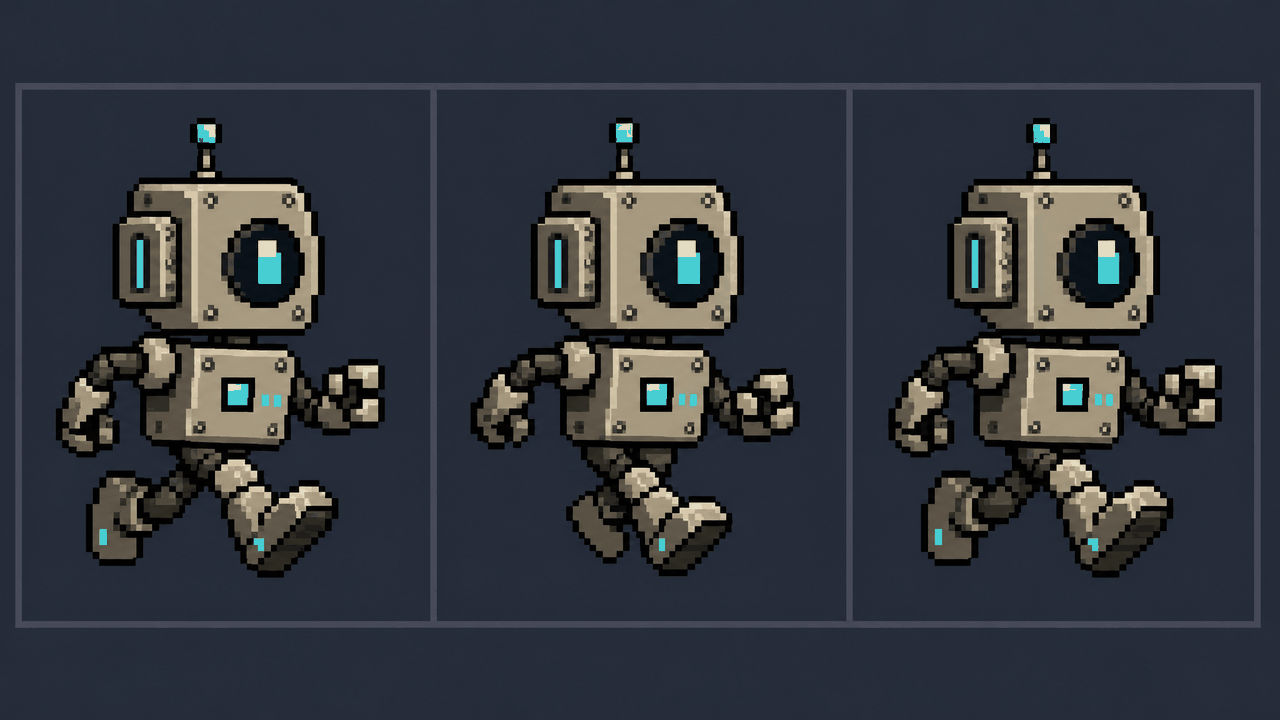
Sprites are on twos turned up to eleven. A 6-frame run played at 12 fps is a new pose every 83 milliseconds, and it works because each pose is doing a job: contact, down, passing, up, contact, the other side. Those are the poses an animation textbook would call out by name. Hit them cleanly and you can skip almost everything between them.

Why fewer frames can read better
Here's the part that surprises people coming from video. A tight 8-frame loop frequently looks more like a game character than a 60-frame one ripped straight from an AI render. Smooth interpolation smears the strong poses. The contact pose and the passing pose blur into each other, and you lose the snap that tells your eye "step, step, step." Spacing and timing carry the read, not frame count. A few well-spaced poses with good contrast between them beats a continuous slurry of in-betweens.
There's a craft reason and a practical one. The craft reason is that exaggeration lives in the poses, and a sprite has so few frames that each one has to be a real pose, which forces clarity. The practical reason is that game sprites loop. A 6-frame loop is six tiles to fit on a sheet and six points where the cycle has to seam back to the start cleanly. Sixty frames is sixty chances for a hitch, and you'll spend an afternoon hunting the one frame where the foot pops.
What this means for AI sprite loops
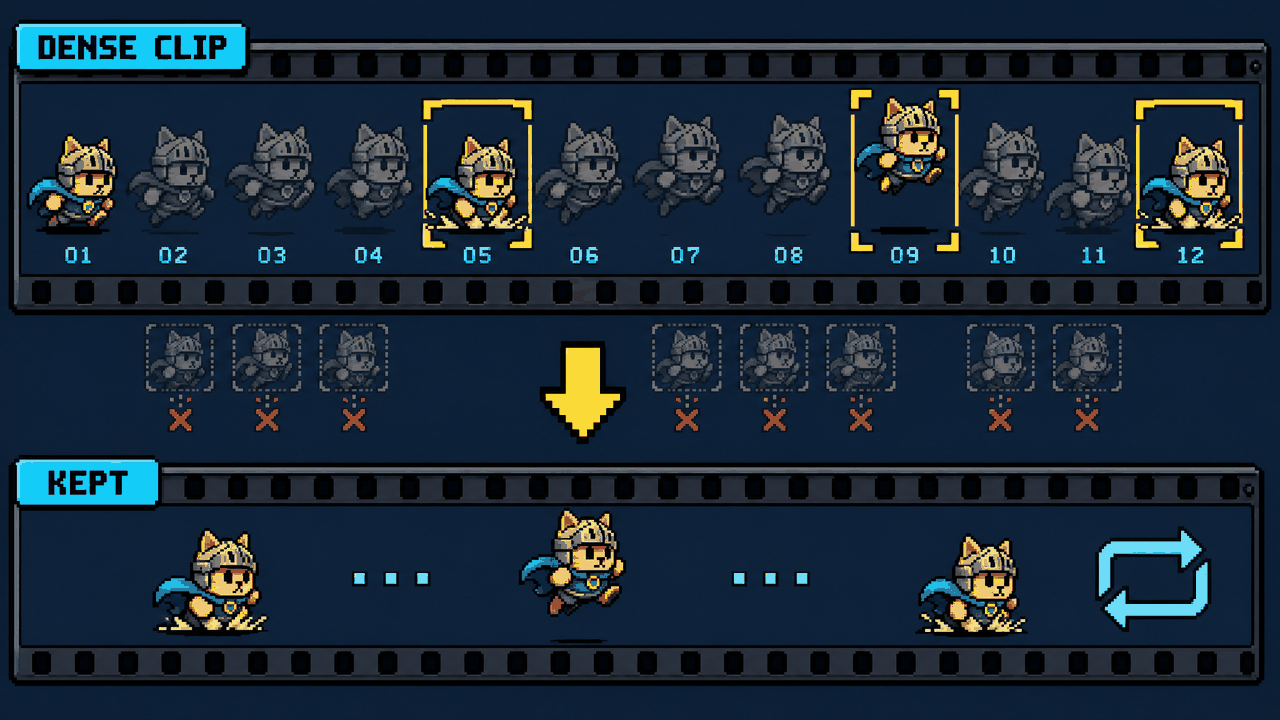
This is where the old constraint turns into a modern tool. Veo, Sora, Kling, and Runway hand you smooth, dense motion. The instinct is to keep all of it. Resist that. The job isn't to preserve the video, it's to find the handful of poses inside it that read as a cycle, and throw the rest away.
- Pick a short, clean loop range where the motion actually repeats, not the bit where the model improvised an extra hip wiggle.
- Pull frames at a low effective rate. Eight to twelve poses for a full run cycle is plenty. Start lower than feels safe and add frames only if the read breaks.
- Judge it looping at game speed, not scrubbing one frame at a time. A loop that looks rough frozen often plays great in motion, and vice versa.
The Sprite Frame Extractor is basically built around this idea: load the clip, set the loop range, choose how many frames per second you're actually pulling, and export a PNG sequence or a looping GIF or APNG. You're not downscaling the video. You're deciding, on purpose, how few frames the animation can survive on. That decision is the animation.
Three frames is a flex
The thing I love about Mario's run is that it's not a compromise that aged into a style. It was always good. Three frames, the right three, and three decades later it still reads instantly to anyone who's ever held a controller. The lesson for AI sprite work isn't "be retro." It's that economy is a skill, and the tools that hand you infinite smooth frames have quietly made that skill rare. Cutting back to the poses that matter is still the move. The hardware stopped forcing it, so now you have to choose it.
FAQ
Q. How many frames did Mario's run animation actually use?
Small Mario in the original 1985 Super Mario Bros. runs on three drawn frames, cycled in a loop while he moves across the screen. Most NES walk and run cycles sit in the 3-to-6 frame range. The extra frames in that era were spent on special moves and impacts, not on locomotion, since a run cycle repeats forever and the eye stops scrutinizing it after the first loop.
Q. What does animating "on twos" mean?
It means drawing fewer distinct images than the playback rate and holding each one for two frames. Classic cartoon animation runs at 24 fps but often draws only 12 unique images per second, each held for two frames. Your eye fills the gap, and the result has a snappy quality instead of looking like smooth video. Sprite animation pushes this even further with a handful of strong poses per cycle.
Q. Why can a short sprite loop look better than smooth 60-frame motion?
Spacing and timing carry the read, not raw frame count. Smooth interpolation blurs the strong poses, like the contact and passing positions in a run, into each other, so you lose the snap that signals stepping. A tight 6-to-8 frame loop forces every frame to be a real, readable pose. It also loops more cleanly, since fewer frames mean fewer chances for the cycle to hitch or for a foot to pop.
Q. How few frames should I pull from an AI-generated video for a sprite loop?
Start lower than feels safe. Eight to twelve poses for a full run cycle is usually plenty, and many cycles work on fewer. Pick a short loop range where the motion genuinely repeats, pull frames at a low effective rate, and judge the result looping at game speed rather than scrubbing one frame at a time. Add frames only if the read actually breaks. A tool like the Sprite Frame Extractor lets you set the loop range and frames-per-second basis and export a looping GIF, APNG, or PNG sequence to test it.